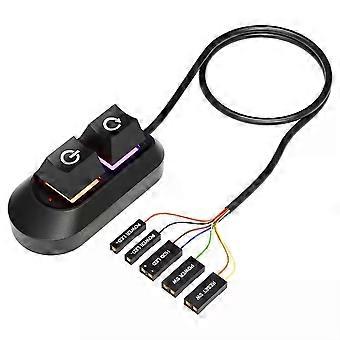

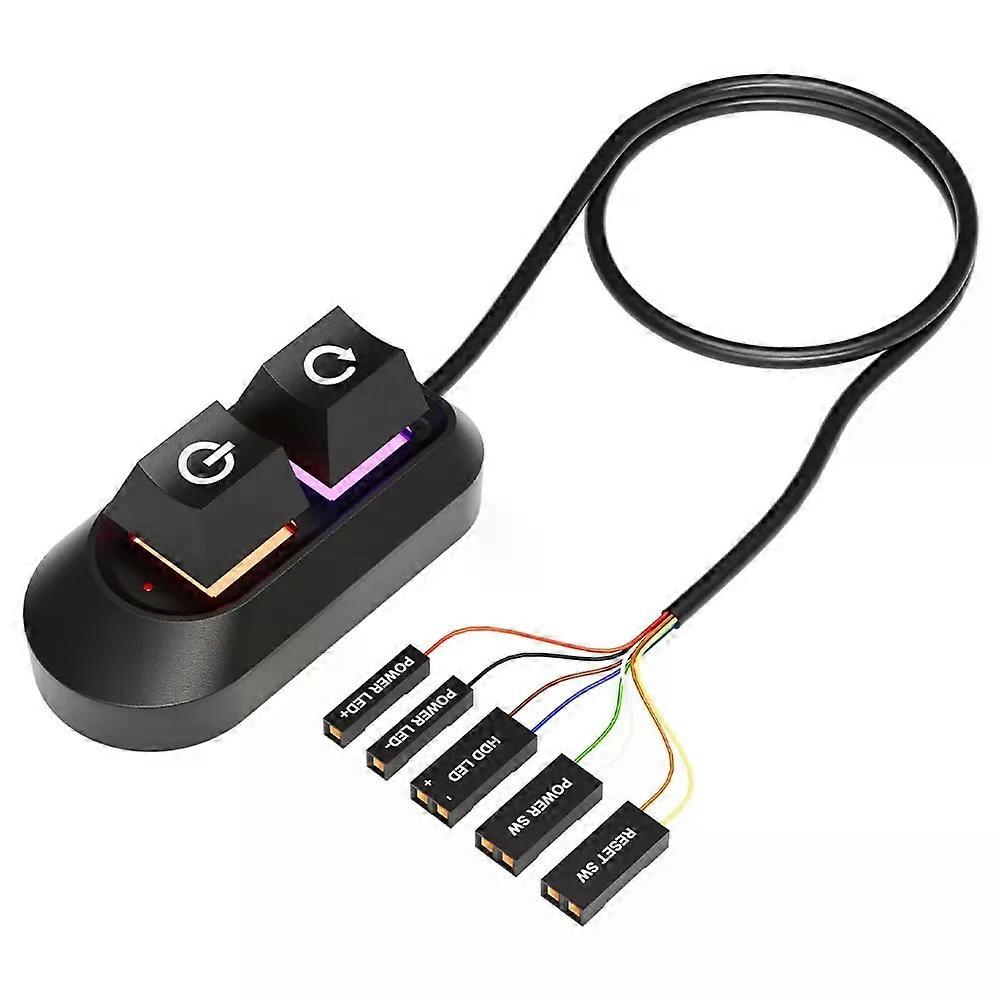
2M Mechanical Desktop Power Switch External Start Computer Switch on/Off and Reset Button Extension Cable PC Power Button Switch

MYR49.95
免费送货

2M Mechanical Desktop Power Switch External Start Computer Switch on/Off and Reset Button Extension Cable PC Power Button Switch

  • 品牌: Unbranded
由……售出:

2M Mechanical Desktop Power Switch External Start Computer Switch on/Off and Reset Button Extension Cable PC Power Button Switch

  • 品牌: Unbranded

MYR49.95

保存 MYR14.05 (21%)

RRP

MYR64.00
有货
免费送货

14天退货政策

由……售出:

MYR49.95

保存 MYR14.05 (21%)

RRP

MYR64.00
有货
免费送货

14天退货政策

付款方式:

描述

2M Mechanical Desktop Power Switch External Start Computer Switch on/Off and Reset Button Extension Cable PC Power Button Switch

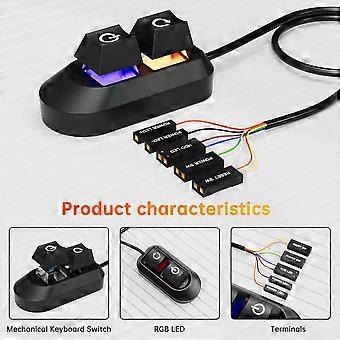
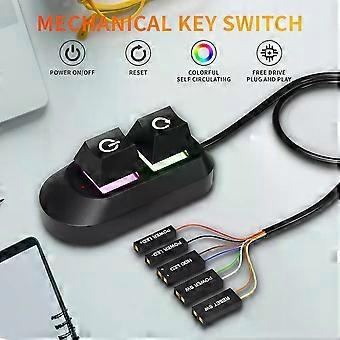
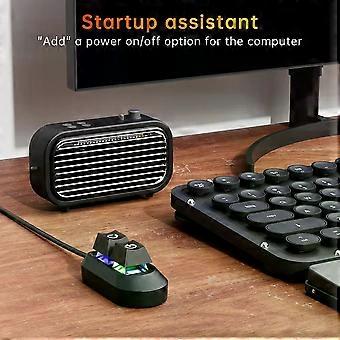
Specifications: Product weight: 56g Product size: 65/32/27.5mm Line length: 2m Color: black Packaging weight: 90g Packaging size: 115/85/35mm NOTE!! There are two versions of this key switch, one is RGB button ,the other is No RGB button ,please kindly choose when you make a purchase Features: External Desktop PC Power / Reset Switch: controlling your computer from the comfort place in the room using the power button and reset button with long cable. Even your computer in a hard to reach place, this power button can make PC power switch ON/OFF much easier. ✔️Mechanical shaft key switch and colorful gradient light : The mechanical axis key as same as the ON/OFF button, same as pressing the mechanical axis keyboard ; coupled with colorful gradient lighting effect, gives you a different power controll experience,along with the reset button ,when you don/x27;t need to power off and power on the computer, this reset button can help you. ✔️Easy to install: the package comes with installation instructions. Just install the HDD LED and RESET SW terminals in another row in sequence, and then check the POWER LED/and HDD LED/ according to the diagram, ensure that the positive electrodes are installed correctly Installations 1. Turn off your computer and disassable the side panel of your computer case. 2. Find the correct hole position from the rear part of thechassis, and lead the cable into the chassis. 3. Find the jumper position of power on and power LED terminais on the mainboard,replace the jumpers in turn and install them in place. Using the same method, install the HDD LED and RESET SW terminals in another row in sequence, and then check the POWER LED/andHDD LED/ according to the diagram, ensure that the positive electrodesare installed correctly. 4.If you want to retain these functions on the front panel,you need to use the one split two adapter for switching. 5.Inspect the installation position are correct, restart your computer and ensure all funtions works as normal .Use the tie to sort out the harness, and put the switch into the right position.
  • Fruugo ID: 451969971-953291754
  • EAN: 06942727508381

配送 & 退货

在 3 天内发货

  • STANDARD: 免费 - 之间的交付 周四 05 二月 2026–周五 13 二月 2026 - 免费

从 中国 送货。

我们会争取将您订购的产品按照您的规格完整地配送给您。不过,万一您收到不完整的订单,或收到的产品与您订购的不同,或者有其他原因让您对订单不满意,您可以要求全部或部分退货,您将收到相应产品的全额退款。 查看完整的退货政策

产品合规详细信息

请参阅下面概述的针对该产品的合规性信息。

以下信息由销售该产品的独立第三方零售商提供。

制造商:
以下信息概述了在Fruugo销售的相关产品的制造商联系信息。

  • Hangzhou Zichi Network Technology Co., Ltd
  • Hangzhou Zichi Network Technology Co., Ltd
  • Room 205, Building 3, No. 1866, Binxing Road
  • Changhe Street, Binjiang District
  • Hangzhou
  • China
  • 310000
  • 18758862577@163.com
  • 15158876167

欧盟负责人:
以下信息概述了欧盟负责人的联系信息。该负责人是位于欧盟的指定经济运营者,负责有关销售到欧盟的相关产品的合规义务。

  • Universal International business SARL
  • Universal International business SARL
  • 254 Rue Vendome 69003 Lyon
  • Lyon
  • France
  • 69003
  • Leroy.Holliana@outlook.com
  • 33773332462