描述
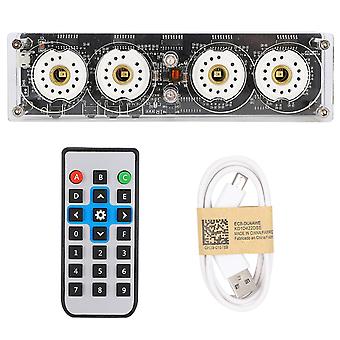
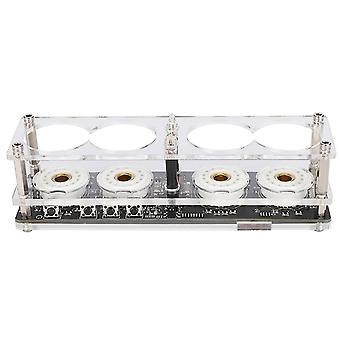
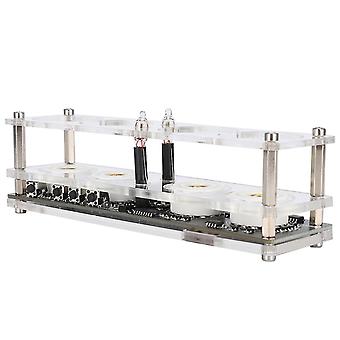
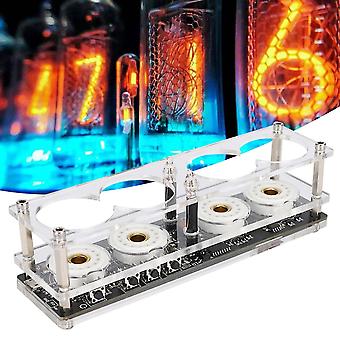
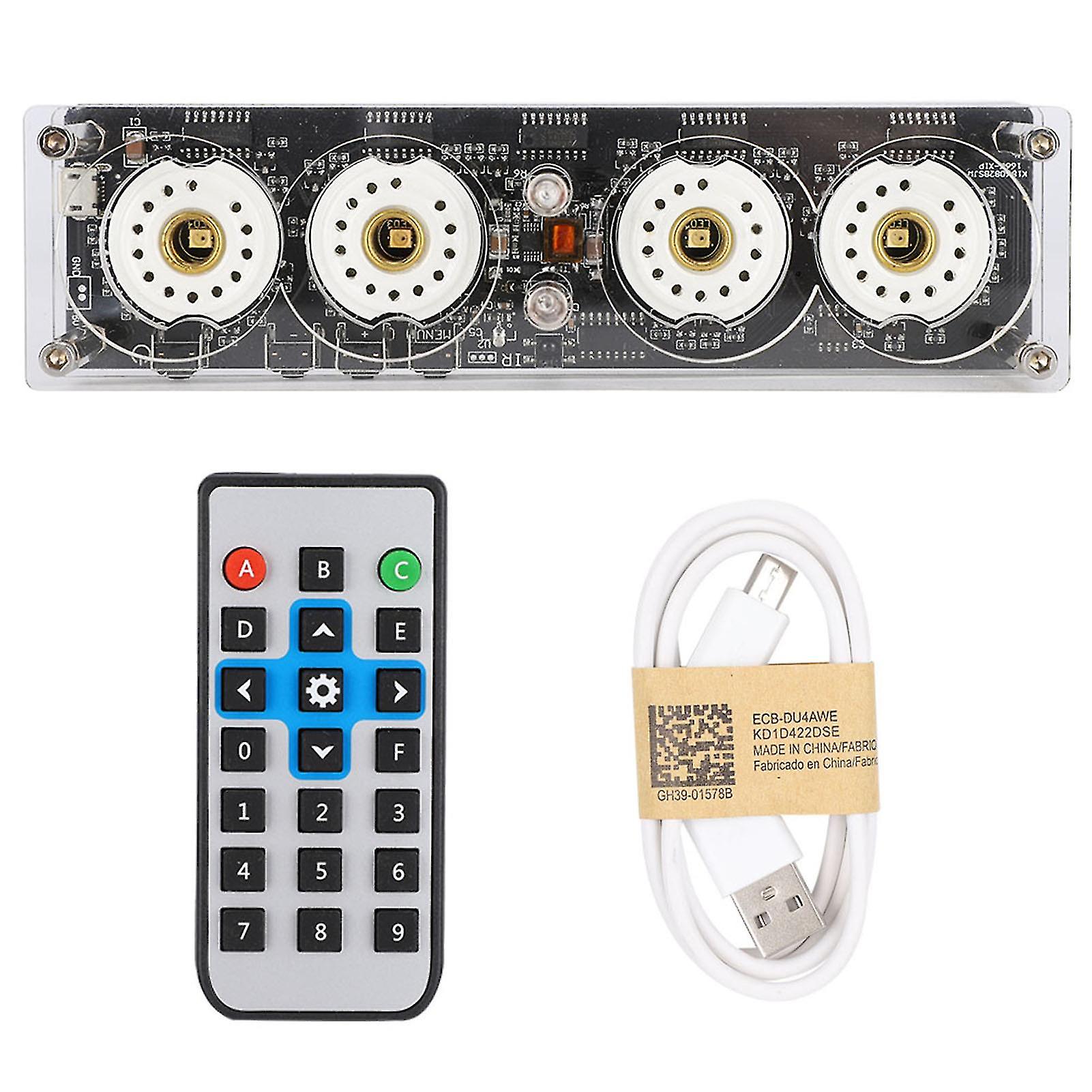
4-Bit Integrated Design Nixie Tube Clock with Remote Control for QS30-1/SZ1-1/SZ3-1/SZ-8
Features
1、Suitable for QS30-1、SZ-8、SZ3-1、ZM1020、Z560M model nixie tube.
2、Use 5V micro USB for power supply.
3、Low power consumption, about 2 W.
4、Modular design with easy installation and modification.
5、With remote control, easy to operate and set.
Specification
Item type: Nixie Tube Clock
Condition: 100% brand new
Material: PCB
Weight: Approx. 235g
Color: As picture shown
Remote control battery: CR2025
Battery capacity: 100mah
Mainboard battery: CR1220 (not included)
Operating instructions Function Display Function declaration
Press on-off key Startup & Shutdown Startup & Shutdown
Press adjustment - button Antivirus once 00-99 00-99 Manual antivirus once
Press adjustment + button LED light color change LED light on,red-green-blue-yellow-cyan-purple-orange-white-off-gradient
Press menu button Switch display mode seconds week display seconds week
20 years display year
month day display month day
hour:minute display current time
Long menu button 2s to enter the setting mode Setting mode enter the setting mode
(After enter the setting mode)short press menu button once Set year 20 years Set year by (adjustment + button) or (adjustment - button)
(After enter the setting mode)short press menu button twice Set month month day Set month by (adjustment + button) or (adjustment - button)
(After enter the setting mode)short press menu button 3 times Set day month day Set day by (adjustment + button) or (adjustment - button)
(After enter the setting mode)short press menu button 4 times Set hour hour:minute Set hour by (adjustment + button) or (adjustment - button)
(After enter the setting mode)short press menu button 5 times Set minute hour:minute Set minute by (adjustment + button) or (adjustment - button)
(After enter the setting mode)short press menu button 6times Set seconds seconds week Set seconds by (adjustment + button) or (adjustment - button)
(After enter the setting mode)short press menu button 7 times Set week seconds week Set week by (adjustment + button) or (adjustment - button)
(After enter the setting mode)short press menu button 8 times Antivirus time setting 1 00 Turn off the automatic anti-virus function
1 01 Automatic antivirus every 1 minute
1 05 Automatic antivirus every 5 minute
1 10 Automatic antivirus every 10 minute
1 20 Automatic antivirus every 20 minute
1 30 Automatic antivirus every 30 minute
(After enter the setting mode)short press menu button 9 times Shutdown time setting 2 00 Off auto shutdown
2 01 Automatic shutdown in 1 minute
2 02 Automatic shutdown in 2 minute
2 05 Automatic shutdown in 5 minute
2 10 Automatic shutdown in 10 minute
2 30 Automatic shutdown in 30 minute
2 60 Automatic shutdown in 60 minute
(After enter the setting mode)short press menu button 10 times 12 hours /24 hours switch 3 12 Set time format by (adjustment + button) or (adjustment - button)
3 24
(After enter the setting mode)short press menu button 11 times 10th hour
conceal 4 0 conceal
4 1 no concealing
(After enter the setting mode)short press menu button 11 times Time decimal setting 5 0 Time decimal flash
(After enter the setting mode)short press menu button 12 times 5 1 Time decimal no flash
(After enter the setting mode)short press menu button 13 times Automatic startup hour setting Hour minute Set by (adjustment + button) or (adjustment - button) Display 00:00 to turn off the automatic startup function
(After enter the setting mode)short press menu button 14 times Automatic startup minute setting Hour minute
(After enter the setting mode)short press menu button 15 times Automatic shutdown hour setting Hour minute Set by (adjustment + button) or (adjustment - button) Display 00:00 to turn off the automatic shutdown function
(After enter the setting mode)short press menu button 16 times Automatic shutdown minute setting Hour minute
(After enter the setting mode)short press menu button 17 times,exit settings mode Returns and show current time
Hour minute Returns and show current time
Package List
1 x Clock
1 x Charging cable
1 x Remote control
-
Fruugo ID:
437257339-916424523
-
EAN:
6166766704621