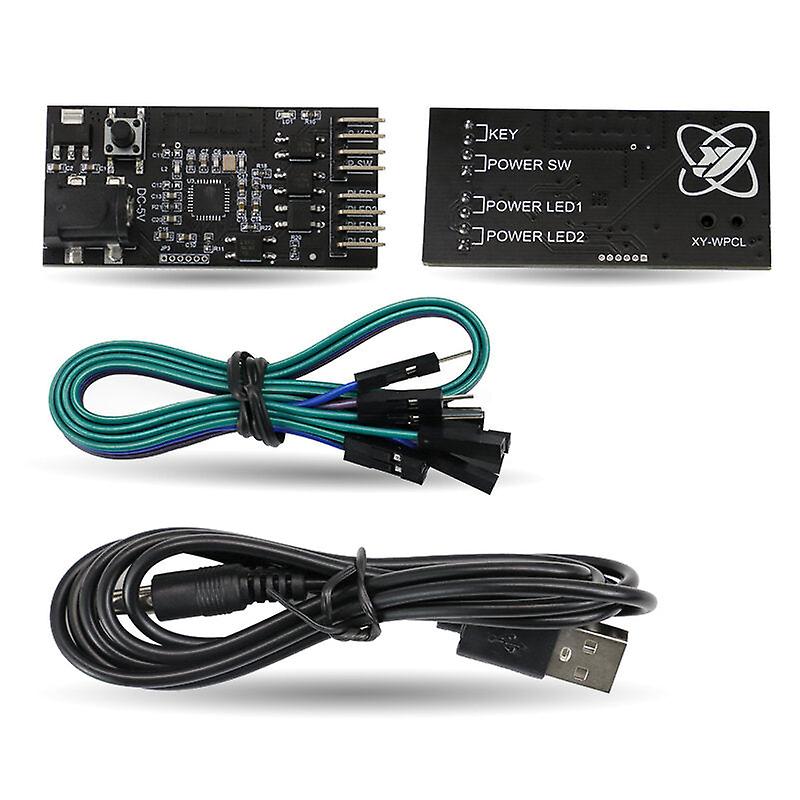
Computer Remote Switch Wifi Smart Pc Start Starting Up Card Startup Card Work With Sinilink Smart Home

MYR74.00
+ MYR28.99 送货

Computer Remote Switch Wifi Smart Pc Start Starting Up Card Startup Card Work With Sinilink Smart Home

Computer Remote Switch Wifi Smart Pc Start Starting Up Card Startup Card Work With Sinilink Smart Home

建议零售价: MYR209.00
价格: MYR74.00
您节省了: MYR135.00 (64%)
由……售出:
MYR74.00
+ MYR28.99 送货

有货

14天退货政策

付款方式:

描述

Computer Remote Switch Wifi Smart Pc Start Starting Up Card Startup Card Work With Sinilink Smart Home

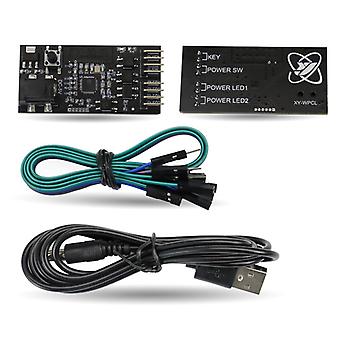
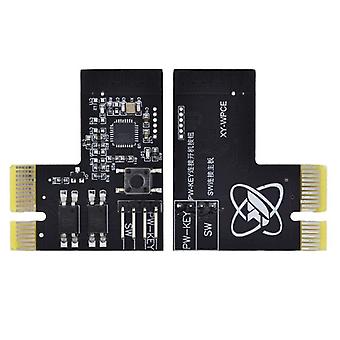
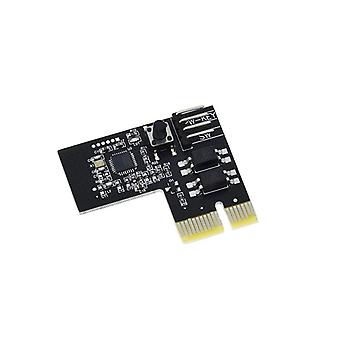
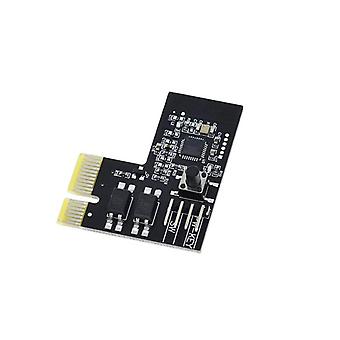
Description:  Card slot version:  Easy to install, with no additional computer drive installation.  PCIE requires no additional power cord to reduce trouble with cabling.  Press the key for 5 seconds to enter the pairing state.  Timiming / delay switch.  Call call turns on automatically.  One-click upgrade, multi-person control.  WeChat reminder.  Action log.  Display the computer status in real time.  Support Tmall spirit, Xiaodu voice, Ai students voice control.  Dual WIFI reinforcement signal.  Support for hot plug.     Installation instructions:  1.The computer is turned off. (Note: 1. It is best to cut off the power supply during installation 2. This product supports electric hot-plug, but pay attention to the rotating fans to avoid cutting ) 2. Locate the connector with the POWER SW on the motherboard and pull it out.And insert the free double bus DuPont line in the pull out position. (note: remember the pull out position)    Curved pin version:  Input power supply voltage: DC-5V.  Simple installation, no need to install additional computer drivers.  Press and hold the button for 5 seconds to enter the pairing state. Timing/delay switch.  Automatically turn on when incoming call.  One-click upgrade, multi-person control.  WeChat reminder.  Operation log.  Real-time display of computer status.  Support Tmall Genie, Xiaodu Voice, Xiaoai Classmate Voice Control.  Double WIFI enhanced.     Installation instructions:  1. Cut off the power or shut down the computer.  2. Locate the POWERSW on the computer motherboard, remember the location and pull it out. Install a DuPont cable to the unplugged position.  3. Connect the other end of the Dupont line to the P???SW pin of the product. The removed POWRESW connector is connected to the PW-KEY pin of the product. (The length of the connecting cable is not enough, you can use the DuPont cable we donated to extend it).  4. Locate the POWERLED on the computer motherboard, remember the location and pull it out. Install a DuPont cable to the unplugged position.  5. Connect the other end of the DuPont cable to the PLED1 and PLED2 pins on the top of the product. The POWERLED connector unplugged from the motherboard is connected to the PLED1 and PLED2 pins under the other one of the product.     Package included:  1 x Remote startup card
  • Fruugo ID: 311244089-695504616
  • EAN: 8727971213117

产品安全信息

请参阅下面列出的特定于该产品的产品安全信息

以下信息由销售该产品的独立第三方零售商提供。

安全警告: Not suitable for children under 36 months, The parcel bag is not a toy. Keep away from children to avoid suffocation hazards.

配送 & 退货

在 2 天内发货

  • STANDARD: MYR28.99 - 之间的交付 周三 31 十二月 2025–周一 12 一月 2026

从 中国 送货。

我们会争取将您订购的产品按照您的规格完整地配送给您。不过,万一您收到不完整的订单,或收到的产品与您订购的不同,或者有其他原因让您对订单不满意,您可以要求全部或部分退货,您将收到相应产品的全额退款。 查看完整的退货政策

产品合规详细信息

请参阅下面概述的针对该产品的合规性信息。

以下信息由销售该产品的独立第三方零售商提供。

制造商:
以下信息概述了在Fruugo销售的相关产品的制造商联系信息。

  • GreenZech
  • Shenzhen GreenZech Technology Co.,Ltd
  • 16C B97 Fuxuan Dalong Jiedao Longhua District
  • Guangdong China
  • Shenzhen
  • CN
  • 518000
  • 1158738758@qq.com
  • 14774955154

欧盟负责人:
以下信息概述了欧盟负责人的联系信息。该负责人是位于欧盟的指定经济运营者,负责有关销售到欧盟的相关产品的合规义务。

  • SUCCESS COURIER SL
  • SUCCESS COURIER SL
  • CALLE RIO TORMES NUM.1,PLANTA 1,DERECHA
  • OFICINA 3,Fuenlabrada
  • Madrid
  • ES
  • 28947
  • successservice3@gmail.com
  • +34 910602659