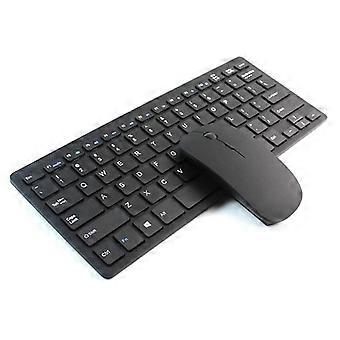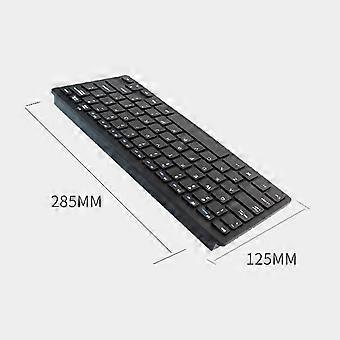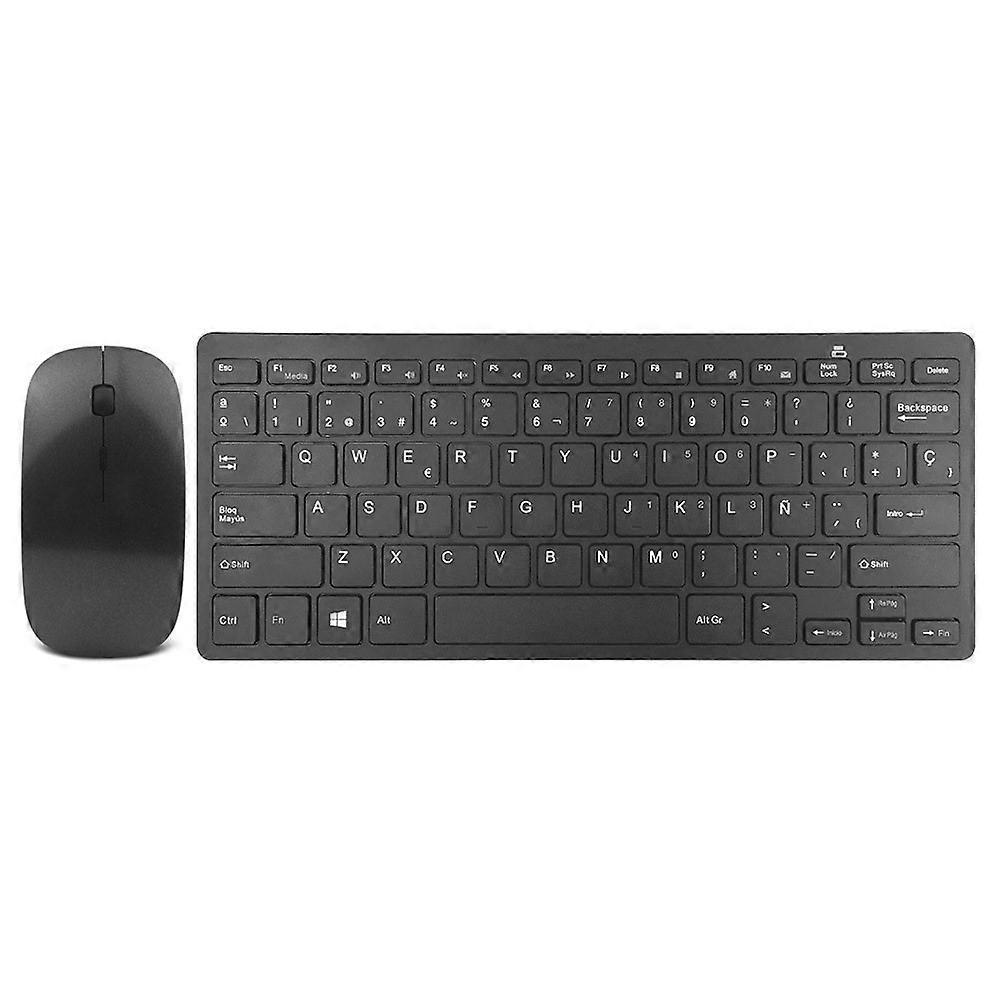
H263 2.4G Wireless Keyboard and Mouse Combo Set Spanish Layout Slim Silent Keyboard

MYR139.00
免费送货

H263 2.4G Wireless Keyboard and Mouse Combo Set Spanish Layout Slim Silent Keyboard

  • 品牌: Unbranded

H263 2.4G Wireless Keyboard and Mouse Combo Set Spanish Layout Slim Silent Keyboard

  • 品牌: Unbranded
建议零售价: MYR309.00
价格: MYR139.00
您节省了: MYR170.00 (55%)
由……售出:
MYR139.00
免费送货

有货

14天退货政策

付款方式:

描述

H263 2.4G Wireless Keyboard and Mouse Combo Set Spanish Layout Slim Silent Keyboard

【Wide Compatibility】Compatible with laptops, desktops, smart TVs, set-top boxes, and more, offering versatile use for a variety of devices 【Anti-Interference 2.4G Wireless Technology】Uses 2.4G ISM frequency band with automatic frequency hopping to avoid interference from other wireless devices, ensuring a stable connection 【Long Wireless Range】The wireless transmission range extends up to 10 meters, providing convenient, obstacle-free control from a distance 【High Precision Optical Mouse】The mouse features a 1000CPI high-precision optical sensor, offering smooth, responsive, and accurate control for everyday tasks 【Energy Saving Features】With multiple automatic sleep modes, the keyboard and mouse quickly enter deep sleep to conserve battery power when not in use 【Plug and Play】The receiver and transmitter are pre-synced, requiring no pairing. Simply plug in the USB receiver and start using it immediately Specifications: Parameter Details Operating Frequency 2402-2480 MHz Keyboard Voltage 3V (1.5V x 2) Keyboard Current <5mA Battery 2 x AAA batteries (not included) Channels 16 Effective Distance 10 meters Bluetooth Compatibility Windows 8, 10, Android 5.0+, iOS, macOS X 10.10+ 2.4G Wireless Compatibility Windows XP/7/8/10+, Android 4.4+, iOS 13+, macOS X 10.5+, Linux Kernel 2.6+, Chrome OS Mouse Precision 1000 CPI optical technology Connectivity 2.4G Wireless, Bluetooth 3.0 Support Devices Support wireless and two Bluetooth devices Switching Methods Wireless mode: FN+1, enter 2.4G wireless mode (Must plug NARO into the USB port of your computer first) Bluetooth device: FN+2 or FN+3 1. Insert the 2*AAA batteries into the keyboard. 2. Use the device to search for a Bluetooth keyboard. 3. Press the “connect” key on the bottom of the keyboard for 1-3 seconds to connect. The light is flashing. 4. If you find the device name “Bluetooth keyboard”, you can use it. Bluetooth mouse (without USB receiver) Suitable for tablets and mobile phones (Does not support for iOS, Apple's tablets and mobile phones, Bluetooth mouse is only supported after iPhone 13 Pro), support for Apple's laptops and desktop computers MAC system. 1. Open the Bluetooth device. 2. Press the pairing button on the back of the Bluetooth keyboard to pair (some keyboards do not have a switch, usually press FN+C on the front to pair the Bluetooth). Press the left and middle buttons of the Bluetooth mouse (the middle button is the scroll wheel button) at the same time for 3-5 seconds to find the device name YHK-BT Mouse 3.0, no PIN code is required.
  • Fruugo ID: 446920815-938670188
  • EAN: 6935718649231

配送 & 退货

在 24 小时内发货

  • STANDARD: 免费 - 之间的交付 周二 30 十二月 2025–周二 06 一月 2026 - 免费

从 中国 送货。

我们会争取将您订购的产品按照您的规格完整地配送给您。不过,万一您收到不完整的订单,或收到的产品与您订购的不同,或者有其他原因让您对订单不满意,您可以要求全部或部分退货,您将收到相应产品的全额退款。 查看完整的退货政策

产品合规详细信息

请参阅下面概述的针对该产品的合规性信息。

以下信息由销售该产品的独立第三方零售商提供。

制造商:
以下信息概述了在Fruugo销售的相关产品的制造商联系信息。

  • Tvcmall JiaZhou05
  • Shenzhen Jiazhou Technology Co., Ltd.
  • Room C035A, 10th Floor, West Building 4, SEG Technology Park,No. 120, Zhenxing Road, Licun Community, Huaqiang North Street, Futian District
  • Licun Community, Huaqiang North Street, Futian District
  • China
  • ShenZhen
  • CN
  • 510010
  • fruugo045@halasolo.com
  • 13510451664
  • https://www.tvcmall.com/

欧盟负责人:
以下信息概述了欧盟负责人的联系信息。该负责人是位于欧盟的指定经济运营者,负责有关销售到欧盟的相关产品的合规义务。

  • Dehong GmbH
  • Dehong GmbH
  • Hohenzollerndamm 152
  • Germany
  • Berlin
  • DE
  • 14199
  • info.dehong@web.de
  • 0049-30 82099411
  • https://implisense.com/de/companies/dehong-gmbh-berlin-DEJNDVZDD731