描述
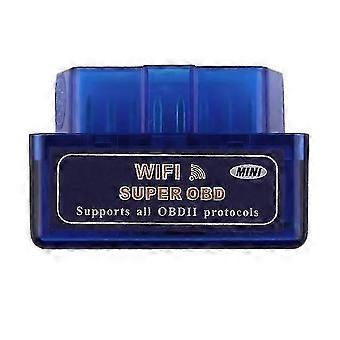
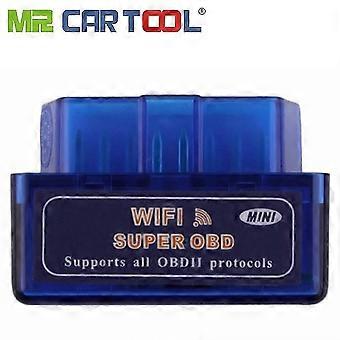
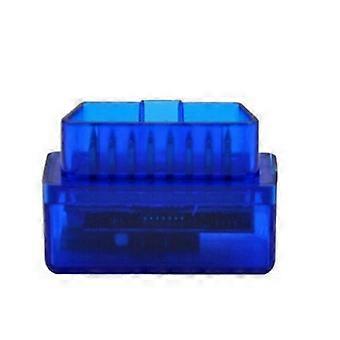
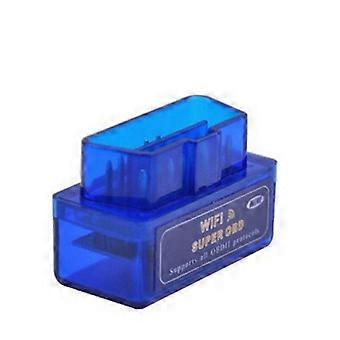
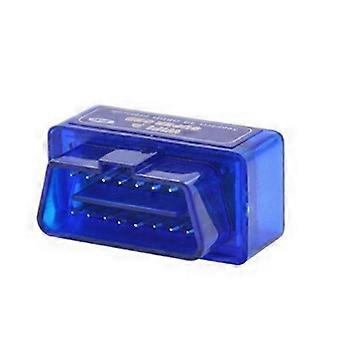
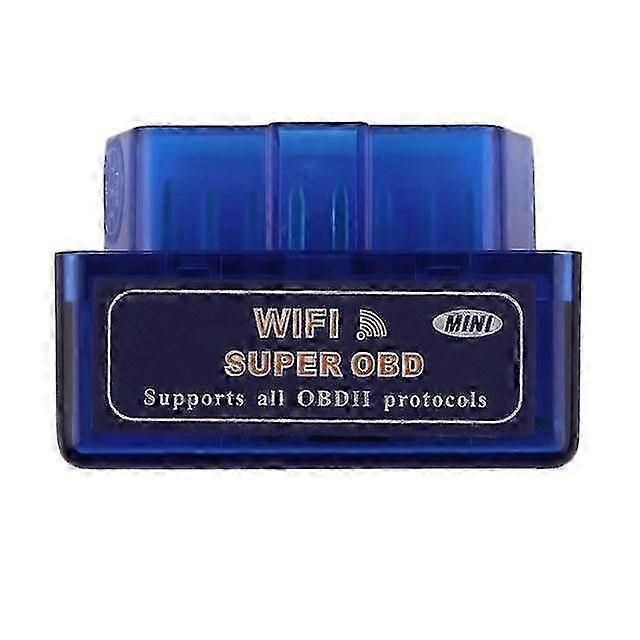
Mini WiFi OBD2 Auto Diagnostic Tool Code Reader Scanner Compatible with IOS Android
Features: this link hardware version is V1.5 Wifi With PIC18F25K80 Chips 1. Fully compatible with ELM327 V1.4b. 2. All ELM327 supported software are available to use. 3. Faster than ELM327 four times or higher. (ELM327 is RISC 8bit 44MHz MCU iCar is ARM 16bit MCU) 4. Due to the android diagnostic software becomes heavier to run suggest to use on smart phone with CPU 800Mhz or higher 1GHz recommended. 5. Built in power switch. 6. Low standby power consumption sleep mode. 7. Lower power consumption than ELM327 8. LED indicator is in the front side toward user for easier check of linking status. 9. Support J1939 protocol more than ELM327. 10. WiFi 802.11 b/g or 802.11n module. Specifications: 1. OBDII decode chip: ARM 16bit MCU 2. Firmware: ELM327 Version 1.4b compatible 3. Transfer baud rate: 4800 / 9600 / 10400 / 38400 (default) / 115200 / 500K 4. Input interface: OBDII male 16pin 5. Output interface: Wifi 802.11 b/g or 802.11n after 2013 Feb 01 6. LED Indicator: Power(red) / OBD(green) / Link(blue) (PC or smart phone) 7. Operating Voltage: 12V from car OBD2 socket including over voltage /shortage protection 8. Nominal Idle current: 45mA 9.Communication range: 500m open field 10.SSID: VGATE (discontinued) or BUYOBD (current) 11.Encryption: Open (VGATE) and WEP shared/WEP128 (BUYOBD) Usage: 1. Keep car key at off position 2. Plug the Vgate scantool into Car OBDII female socket. OBD2 socket is usually below the driving wheel. The Vgate should blink all 3 LEDs and off again. Only red power LED remains on. 3. Insert car key. 4. Switch car key to Accessory ON position 5. Turn on WiFi of PCtebook/smart phone. Check Windows control panel>wireless network>Setting>Advanced>Wireless mode>IEEE 802.11b/g/n. Check android wifi setting turn off existing link. Check iPhone Wi-Fi networks turn off existing link. 6. Scan the Vgate wifi device from your Desktop/Notebook PC/PDA/phone. Find SSID inVGATEin or inBUYOBDin. The Vgate blue LED should be on now. Otherwise the device doesnt respond to the scanning. 7. For Windows/Android If SSID is inVGATEin it is DHCP mode not need to set up. If SSID is inBUYOBDin enter 13 digits password shown on the label of the white plastic case. IP: select inFixedin and enter in192.168.0.10in Subnet mask: enter in255.255.255.0in DNS: keep blank For iPhone/iPad: If SSID is inVGATEin it is DHCP mode not need to set up. If SSID is inBUYOBDin enter 13 digits password shown on the label of the white plastic case. IP: change from inDHCPin to inFixedinIP: enter in192.168.0.11in or later Subnet mask: enter in255.255.255.0in HTTP local port: enter in35000in 8. App setup: select Vgate device as KiWi wifi or ELM327. Click link app will build a link to Vgate. App may take time for scaning vehicle protocol less than a minute or so. App starts to show static data once recognize the protocol and has correct table of associated sensor. The Vgate green LED should be blinking now. The faster data rate the protocol is the the faster the green LED blinks. Turn off the app not minimizein ifapp fails to link and doesnt show data. Start another app and try again. Some vehicles may have to turn car key to inON/Startin position to activate car ECU. Turn car key to inON/Startin position to read real-time data. Communication Protocol OBDII 16-pin DLC definition: 1. n/a 2. Bus + (SAE J1850 PWM VPW) 3. n/a 4. Battery - 5. Signal - 6. CAN High (ISO 15765-4) 7. K Line (ISO 9141-2 SAE J2234) 8. n/a 9. n/a 10. Bus - (SAE J1850 PWM VPW) 11. n/a 12. n/a 13. n/a 14. CAN Low (ISO 15765-4) 15. L line (ISO 9141-2 ISO 14230-4) 16. Battery + Only pins 2 4 5 6 7 10 14 15 16 defined by above standards read data. Other Customized pin are not supported. Please confirm OBDII label located under front engine hood. Support OBDII/EOBD2 protocols: ISO 15765-4 (CAN-B 125Kbps started since 2003 in USA) ISO 15765-4 (CAN-C 500Kbs 11bit ID 29bit ID started since 2003 in USA) ISO 14230-4 (KWP2000) ISO 9141-2 (5 baud init. 10.4 kbaud replaced by 14230-4 gradually stopped in USA in 2008) SAE J1850 VPW (10.4 kbaud replaced by 14230-4 gradually stopped in USA in 2008) SAE J1850 PWM (41.6 kbaud replaced by 14230-4 gradually stopped in USA in 2008) SAE J1939 the Data link connector standard Function 1. Read more than 3000 car manufacturers stand DTC and private DTC (diagnostic trouble codes) and its meaning. 2. Clear DTC turn off dashboard MIL inCheck Enginein Light 3. Display sensor data including: Engine RPM Load Coolant Temperature Fuel Status Vehicle speed Intake Manifold pressure (MAF/MAP) Timing Advance Intake Air Temperature Air Flow Rate Absolute Throttle Position Oxygen sensor voltage /short term fuel trim Fuel Pressure Software Support: Driver: It does not need. 1.Applications supporting ELM327 chip: PC windows (supports RS232/USB/bluetooth): Auto Enginuity ScanTool 6.02 for PC in English/German/Hungarian/Spanish Dashcommand by Palm Performance Win 95/98/ME/2000/XP/Vista/7 support touch pad. Digimoto 5.01.22 Easy OBDII 3.0.0 EVOSCAN for Mitsubish
-
Fruugo ID:
373605157-809135808
-
EAN:
5783115701738