描述
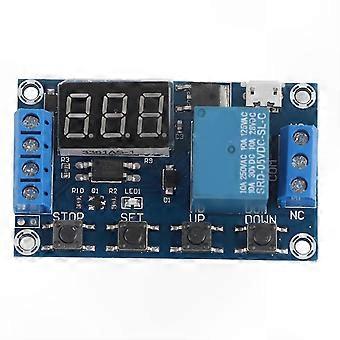
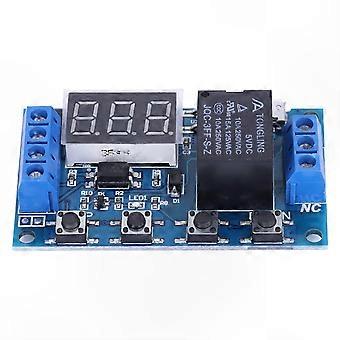
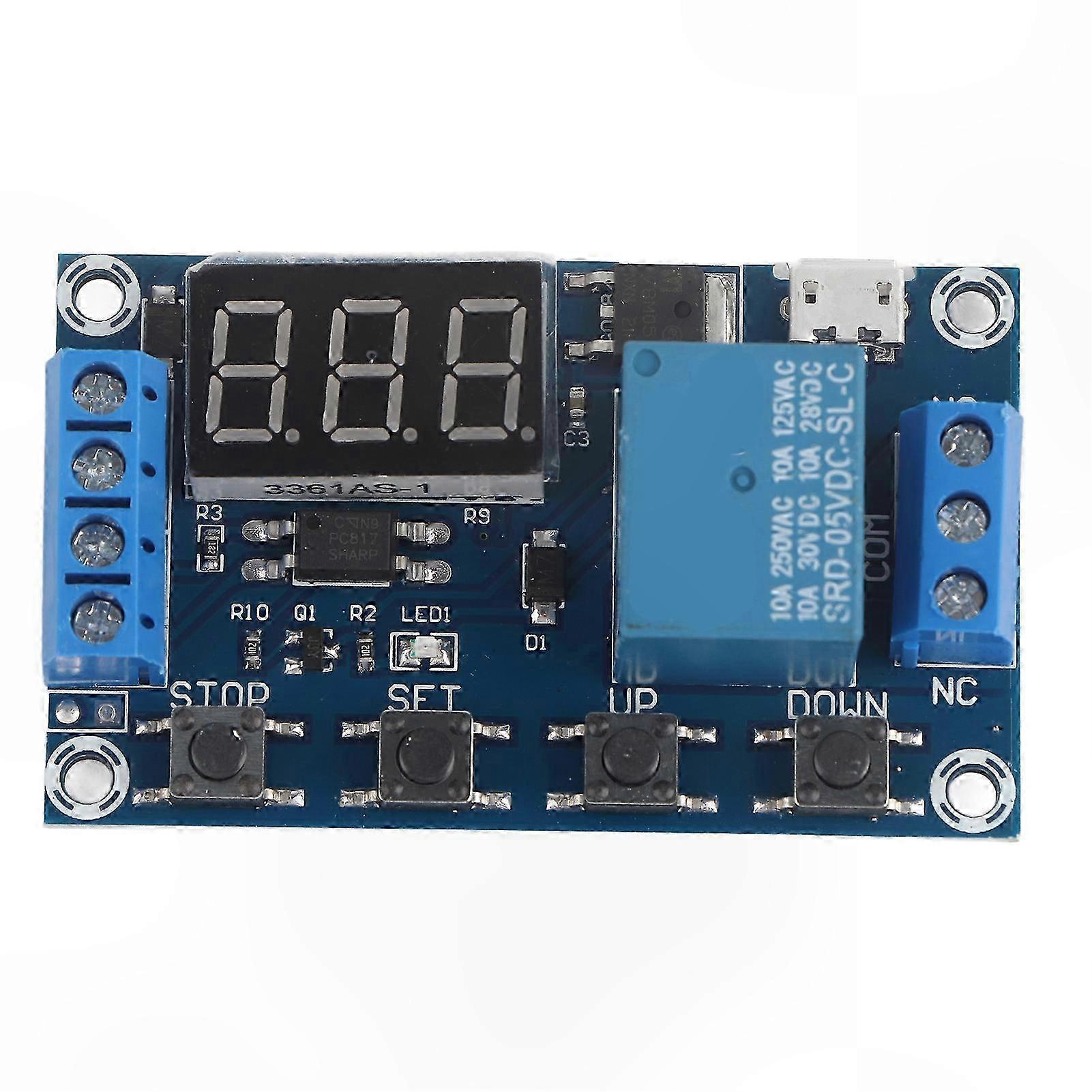
Programmable Timer Relay Module with LED Display and Micro USB Power Supply
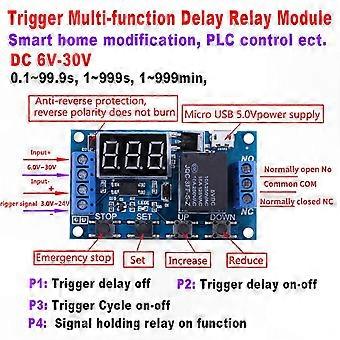
Features: Wide DC power supply voltage from 6V to 30V, supports micro USB 5.0V power supply, convenient to use. Clear, simple, and powerful interface, easy to understand, meets a wide range of application needs. The module supports reverse input protection and includes a STOP button for emergency stop function. Sleep mode is available; the display automatically turns off after 5 minutes of inactivity and can be reactivated by pressing any button. Users can set different OP, CL, and LOP parameters independently, with all settings saved separately. All parameters are retained during power interruptions. Equipped with optical coupling isolation for improved anti-interference performance and industrial-grade circuit board design.
Specifications:
Voltage: 6V~30V (supports micro USB 5.0V)
Quiescent Current: 20mA
Operating Current: 50mA
Operating Temperature: -40°C to 85°C
Size: Approx. 6.2 x 3.8 x 1.7cm / 2.44 x 1.49 x 0.67 inches
Timing Range: 0.1 seconds to 999 minutes (continuously adjustable)
Operation Modes:
P1: After receiving a trigger signal, the switch connects for "OP" time, then disconnects. During "OP" time:
P1.1: Re-triggering has no effect.
P1.2: Re-triggering restarts the timing.
P1.3: Re-triggering disconnects the switch and stops timing.
P2: After trigger, the switch disconnects for "CL" time, then connects for "OP" time, and disconnects after timing completes.
P3.1: After trigger, the switch connects for "OP" time, then disconnects for "CL" time, entering a loop. If triggered during the loop, the switch disconnects and timing stops. Loop count (LOP) is adjustable.
P3.2: On power-up, the switch automatically connects for "OP" time, disconnects for "CL" time, and enters a loop without requiring a trigger. Loop count (LOP) is adjustable.
P4: Signal hold function. While signal is present, timing resets and switch remains connected. When signal is removed, disconnection occurs after "OP" time. Timing resets if signal reappears during timing.
OP: On time
CL: Off time
LOP: Loop count (1–999, 999 indicates continuous loop)
All parameters are independent and shared across modes. For example, setting OP time to 5 seconds in P1.1 will apply the same value when switching to P1.2.
Setting Parameters:
Press SET at the main interface (display shows 000) to view OP, CL, or LOP values.
- For modes with only OP (e.g., P1.1, P1.2, P1.3), only OP and its value are displayed.
- For modes with OP, CL, and LOP (e.g., P3.1, P3.2), all three parameters are displayed.
After mode selection, press SET to check current mode parameters.
Selecting Timing Range:
After setting a parameter, press STOP to select time range:
XXX. – Last decimal lit: 1 second to 999 seconds
XX.X – Second last decimal lit: 0.1 second to 99.9 seconds
X.X.X – All decimals lit: 1 minute to 999 minutes
Example: Setting OP to 3.2 seconds with second last decimal lit displays as 03.2
Setting Procedure:
1. Confirm desired operation mode.
2. At main interface (after power-on, mode flashes then enters main screen), press and hold SET for 2 seconds to enter mode selection. Use UP/DOWN buttons to select mode (P1.1 to P4).
3. After mode selection, press SET briefly to edit parameter. The target parameter will blink. Adjust value with UP/DOWN buttons, then press STOP to select time range. Press SET to proceed to next parameter.
4. After all parameters are set, press and hold SET for 2 seconds until current mode flashes, then return to main interface.
Main Interface:
- Relay inactive: displays "000" (no decimal point)
- Relay active: displays decimal point
Mode Selection Interface:
Enter by pressing and holding SET. Exit by pressing and holding SET to return to main interface.
Relay Enable Mode:
NO: Relay activates during OP time
OFF: Relay remains off
Press STOP at main interface to toggle between NO and OFF; current state blinks briefly before returning to main screen (emergency stop function)
Sleep Mode:
C-P: Sleep mode enabled. Display turns off after 5 minutes of inactivity; operation continues normally.
O-d: Normal mode. Display remains on.
Press and hold STOP for 2 seconds to switch between C-P and O-d; current mode blinks then returns to main interface.
Package Includes:
1 x Timer Switch Module
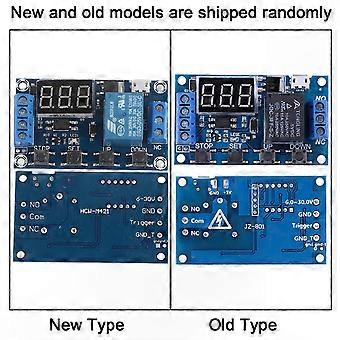
Note: New and old versions of this product may be shipped randomly. Please ensure acceptance before ordering.
-
Fruugo ID:
405085834-859376707
-
EAN:
1028431526806