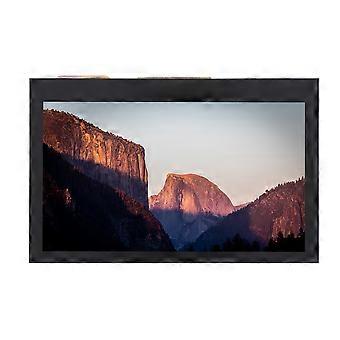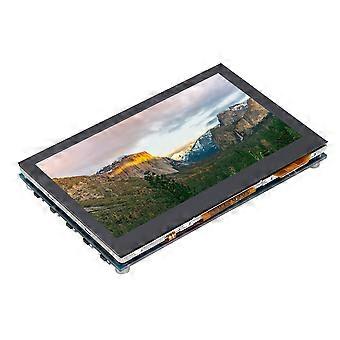
Universal for Raspberry Pi 4.3inch 800x480 LCD Capacitive for 3B+2B+4B IPS Touch Screen

MYR339.00
免费送货

Universal for Raspberry Pi 4.3inch 800x480 LCD Capacitive for 3B+2B+4B IPS Touch Screen

  • 品牌: Unbranded

Universal for Raspberry Pi 4.3inch 800x480 LCD Capacitive for 3B+2B+4B IPS Touch Screen

  • 品牌: Unbranded
建议零售价: MYR549.00
价格: MYR339.00
您节省了: MYR210.00 (38%)
由……售出:
MYR339.00
免费送货

有货

我们接受以下付款方式

描述

Universal for Raspberry Pi 4.3inch 800x480 LCD Capacitive for 3B+2B+4B IPS Touch Screen

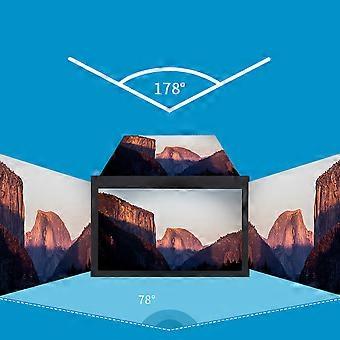
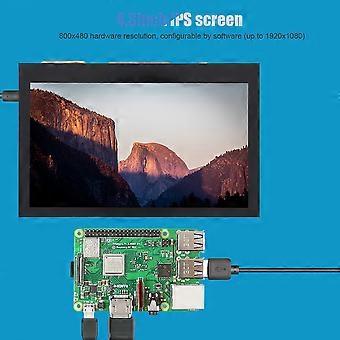
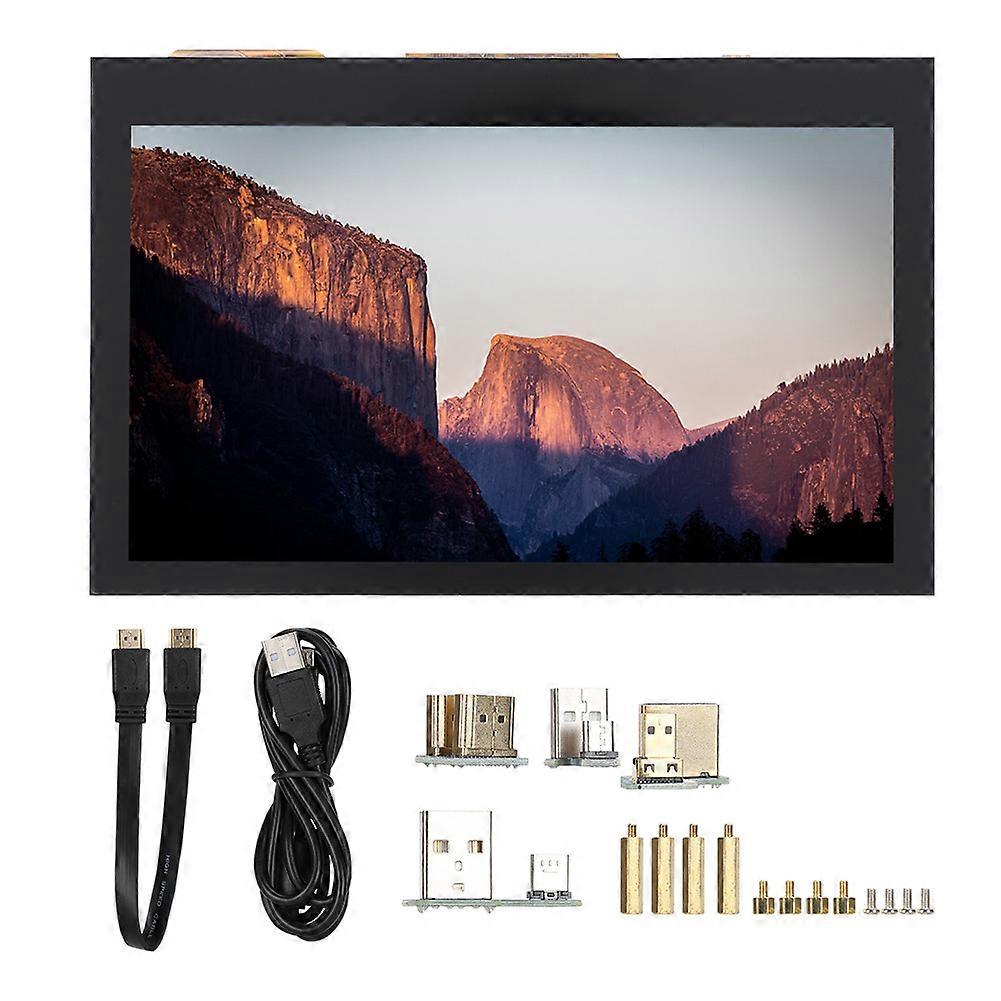
1、3inch IPS screen, 800x480 hardware resolution, configurable by software (up to 1920x1080). 2、Supports popular mini PCs such as for Raspberry Pi/BB Black/Banana Pi. 3、When works with for Raspberry Pi, it supports for Raspbian/Ubuntu/Kali/Retropie/WIN10 IOT, driver free. 4、When works as a computer monitor, it supports for Windows 10/8.1/8/7, five-points touch, and driver free. 5、Support Multiple languages OSD menu (for power management, brightness/contrast adjustment, etc.). Features: 1. 4.3inch IPS screen, 800x480 hardware resolution, configurable by software (up to 1920x1080). 2. Supports popular mini PCs such as for Raspberry Pi/BB Black/Banana Pi. 3. When works with for Raspberry Pi, it supports for Raspbian/Ubuntu/Kali/Retropie/WIN10 IOT, driver free. 4. When works as a computer monitor, it supports for Windows 10/ 8.1/8/7, five-points touch, and driver free. 5. Support Multiple languages OSD menu (for power management, brightness/contrast adjustment, etc.). 6. Equipped with a 5mm audio jack, speaker connector, support HDMI audio output. Specification: Item Type: Touch Screen Resolution: 800x480, with capacitive touch panel Size: Approx. 10.7x 6.9x 1.5cm/ 4.2x 2.7x 0.6in Package List: 1 x 4.3inch HDMI LCD Screen 1 x HDMI Connecting Line 1 x USB Type A Male to Micro Male Cable 4 x Adapters 1 x Pillars Pack Note: Due to the limitations of the game console system, the touch function is not available. Sound support means that the host can normally output sound through the built-in speaker, external speaker interface or headphone interface of LCD module. Usage: 1) Download the compressed file to PC and extract it to get the .img file. 2) Connect TF card to PC and use for SDFormatter.exe to format the TF card. 3) Open for Win32DiskImager.exe, select the system image prepared in step 1, and click "write" to burn the system image. 4) After burning, open the config.txt file in TF kagan directory, and add the following code at the end of config.txt, then save and safely pop-up the TF card. Insert the TF card into for Raspberry Pi. max_usb_current=1 hdmi_force_hotplug=1 hdmi_group=2 hdmi_mode=87 hdmi_cvt 800 480 60 6 0 0 0 5) Connect the Touch interface of LCD to the USB interface of for Raspberry Pi. 6) Connect the HDMI interface of LCD to the HDMI interface of for Raspberry Pi, then power on the for Raspberry Pi, and wait for a few seconds to display normally.
  • Fruugo ID: 361829859-786371901
  • EAN: 9064571644156

产品安全信息

请参阅下面列出的特定于该产品的产品安全信息

以下信息由销售该产品的独立第三方零售商提供。

产品安全标签

CE Mark
安全警告: Warning to keep away from water to prevent electric shocks.

配送 & 退货

在 3 天内发货

  • STANDARD: 免费 - 之间的交付 周五 19 十二月 2025–周二 23 十二月 2025 - 免费

从 中国 送货。

我们会争取将您订购的产品按照您的规格完整地配送给您。不过,万一您收到不完整的订单,或收到的产品与您订购的不同,或者有其他原因让您对订单不满意,您可以要求全部或部分退货,您将收到相应产品的全额退款。 查看完整的退货政策

产品合规详细信息

请参阅下面概述的针对该产品的合规性信息。

以下信息由销售该产品的独立第三方零售商提供。

制造商:
以下信息概述了在Fruugo销售的相关产品的制造商联系信息。

  • Chen ShaoMao
  • Lixian Maisite Trading Co., Ltd.
  • Group 8
  • Wugong Village
  • Xiaodukou Town
  • Lixian County
  • CN
  • 415500
  • zhuyihaozyh@outlook.com
  • 13192770024

欧盟负责人:
以下信息概述了欧盟负责人的联系信息。该负责人是位于欧盟的指定经济运营者,负责有关销售到欧盟的相关产品的合规义务。

  • e Vatmaster Consulting GmbH
  • e Vatmaster Consulting GmbH
  • RaiffeisenstraBe 2 B11
  • Rodgau
  • DE
  • 63110
  • contact@evatmaster.com
  • 49 61062699873