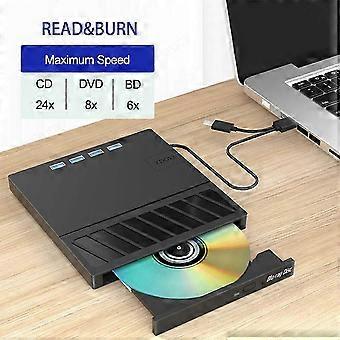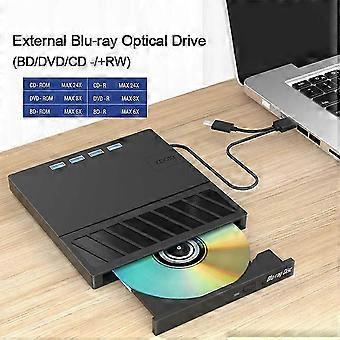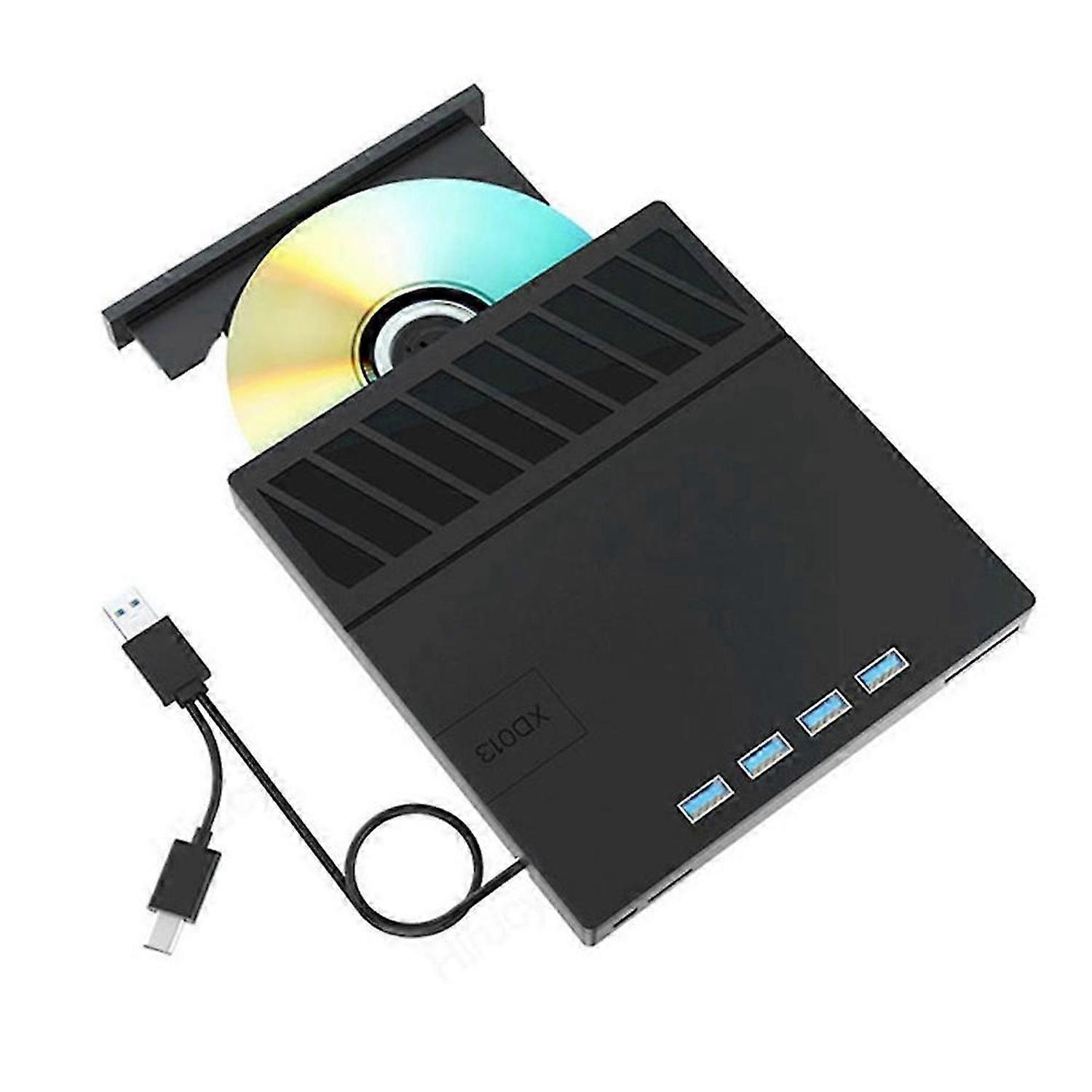
USB 3.0 Type-C Multiplication External Blu-Ray Optical Drive CD/DVD/BD -/+RW Player Burner Writer Reader for Laptop PC

MYR229.00
+ MYR53.99 送货

USB 3.0 Type-C Multiplication External Blu-Ray Optical Drive CD/DVD/BD -/+RW Player Burner Writer Reader for Laptop PC

  • 品牌: Unbranded

USB 3.0 Type-C Multiplication External Blu-Ray Optical Drive CD/DVD/BD -/+RW Player Burner Writer Reader for Laptop PC

  • 品牌: Unbranded
建议零售价: MYR489.00
价格: MYR229.00
您节省了: MYR260.00 (53%)
由……售出:
MYR229.00
+ MYR53.99 送货

有货

14天退货政策

付款方式:

描述

USB 3.0 Type-C Multiplication External Blu-Ray Optical Drive CD/DVD/BD -/+RW Player Burner Writer Reader for Laptop PC

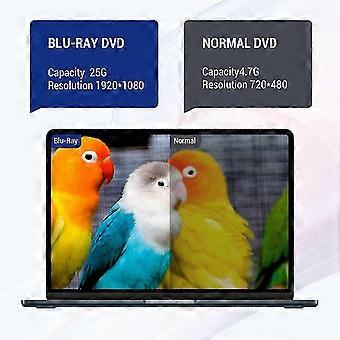
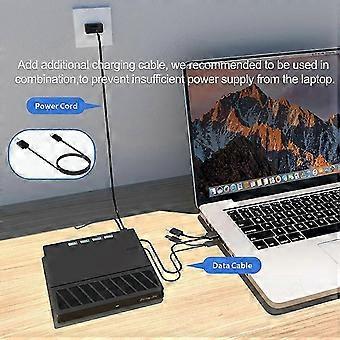
Computers often do not natively support DVD movie playing, so a third-party media player (such as VLC) must be downloaded and installed to watch DVDs using this CD/DVD player. You can download and install a playing/burning software you like. You can also refer to the following software: Playing software: Any Media Player, Any DVD; Burning software for Windows OS: InfraRecorder, Ones, Express Disc Burner; Burning software for Mac OS: Burn for mac; Burning software for Linux OS/Unix OS: K3b (KDE Burn Baby Burn); Do not support smartphone,TV,car,tablet. Please make sure that the laptop power supply is sufficient when you use the dvd driver. Note: Please be aware that the playback/burning software for the external Blu-ray drive is not included and must be purchased separately to ensure proper functionality.<br><br>(1). When downloading Blu-ray playback software, Some software in for Windows and MAC OS are not compatible, please make sure Blu-ray playback software is compatible with your computer system. Test it by downloading the software 'Cyberlink BD & 3D Advisor'. The software will verify whether your computer is equipped for Blu-ray or 3D playback. (2). It's recommended to play the Blu-ray disc via the BD player 'Powerdvd10-19'. Burn the Blu-ray disc via the 'Nero' burning software. (Please use professional software to play Blu-ray discs,such as for NERO / LEAWO / MakeMKV / iDeer Blu-ray Player / CyberLink PowerDVD / Mac Blu-ray Player / Blu-ray Player / Macgo Blu-ray Player. Some Blu ray playback software requires a fee.) (3). Block the region code. If the copyright-protected Blu-ray disc with a region code may not be used, you can encode the region code by downloading the block software 'Any DVD'. Color: Black Material: Plastic<br><br>Package Contents: 1x USB BD/CD/DVD-RW drive (CD not included) 1x Cable 1x English User Manual
  • Fruugo ID: 430119635-903389684
  • EAN: 8720389395192

配送 & 退货

在 5 天内发货

  • STANDARD: MYR53.99 - 之间的交付 周五 09 一月 2026–周五 16 一月 2026

从 中国 送货。

我们会争取将您订购的产品按照您的规格完整地配送给您。不过,万一您收到不完整的订单,或收到的产品与您订购的不同,或者有其他原因让您对订单不满意,您可以要求全部或部分退货,您将收到相应产品的全额退款。 查看完整的退货政策

产品合规详细信息

请参阅下面概述的针对该产品的合规性信息。

以下信息由销售该产品的独立第三方零售商提供。

制造商:
以下信息概述了在Fruugo销售的相关产品的制造商联系信息。

  • Therobe Store 2
  • Dongguan Lifeng Filter Trading Co., Ltd.
  • No. 31, Dongxia 8th Alley, Building 1, Room 602
  • Dongguan
  • CN
  • 523901
  • gserghe5566@163.com
  • 18506810445

欧盟负责人:
以下信息概述了欧盟负责人的联系信息。该负责人是位于欧盟的指定经济运营者,负责有关销售到欧盟的相关产品的合规义务。

  • Prolinx GmbH
  • Prolinx GmbH
  • Brehmstr.56,Duesseldorf,Germany
  • Duesseldorf
  • DE
  • 40225
  • eu@eulinx.eu
  • 2113105498