v2.0 Bluetooth OBD2 Scanner for iOS and Android, Read Clear Codes, Live Data, for Torque Pro

RM109.00
FREE Shipping

v2.0 Bluetooth OBD2 Scanner for iOS and Android, Read Clear Codes, Live Data, for Torque Pro

  • Brand: Unbranded
Sold by:

v2.0 Bluetooth OBD2 Scanner for iOS and Android, Read Clear Codes, Live Data, for Torque Pro

  • Brand: Unbranded

RM109.00

Save RM60.00 (35%)

RRP

RM169.00
In stock
FREE Shipping

14-Day Returns Policy

Sold by:

RM109.00

Save RM60.00 (35%)

RRP

RM169.00
In stock
FREE Shipping

14-Day Returns Policy

Payment methods:

Description

v2.0 Bluetooth OBD2 Scanner for iOS and Android, Read Clear Codes, Live Data, for Torque Pro

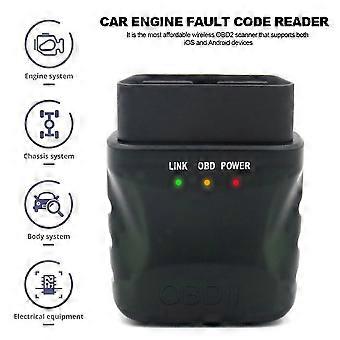
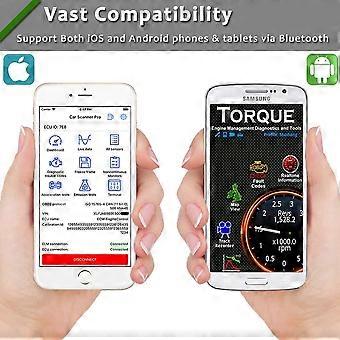
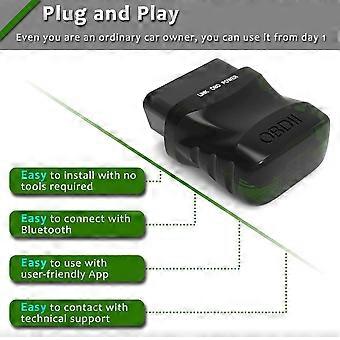
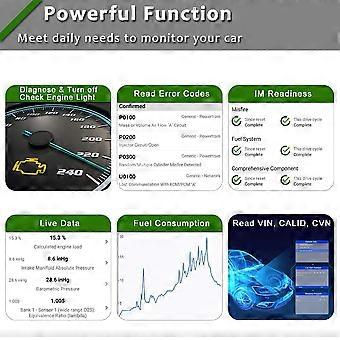
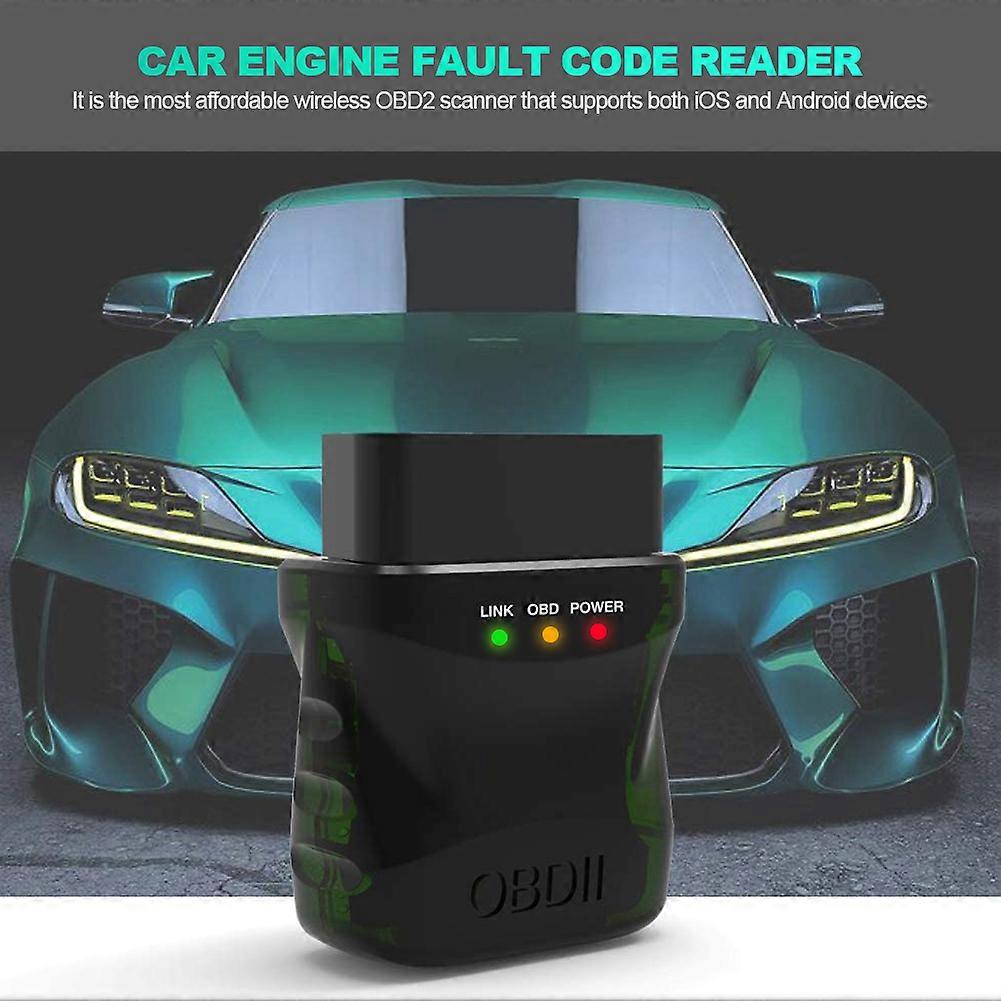
Wireless OBD2 Diagnostic Scanner for iOS, Android, and Windows Description This compact wireless OBD2 adapter turns your smartphone, tablet, or Windows device into a professional diagnostic tool. It connects via Bluetooth 4.2 and supports common vehicle buses and protocols to read live data, diagnose faults, and clear diagnostic trouble codes. The curved plug design makes insertion and removal from the OBDII port quick and easy. Key benefits - Diagnose problems quickly and avoid unnecessary trips to the workshop by reading and clearing fault codes at the vehicle. - Monitor live sensor data to spot issues early and verify repairs immediately after work is done. - Small, durable design fits most OBDII ports and stays out of the way while driving. - Broad compatibility with iOS, Android, and Windows devices and with most petrol and 12 V diesel vehicles from 1996 onward. Features and specifications - Interface: OBDII standard connector. - Wireless: Bluetooth 4.2. - Processor: Arm Cortex-M0. - Supported buses: CAN bus, K-line, L-line. - Protocols: SAE-J1580-VPW and SAE-J1580-PWM. - Function: Read and clear diagnostic trouble codes; app database contains more than 3000 fault codes. - Power supply: DC 9 V to 28 V. - Operating temperature: -20 to +60 degrees Celsius. - Storage temperature: -40 to +85 degrees Celsius. - Material: ABS plastic. - Color: Black. - Size: 4.8 cm by 4.3 cm (approximately 1.89 inch by 1.69 inch). Compatibility - Works with iOS, Android, and Windows systems. - Supports most gasoline and 12 V diesel vehicles built since 1996. How to use 1. With the ignition key in the lock position, plug the OBDII adapter into the vehicle OBDII port. The port is typically under the dashboard on the driver side or above the gas pedal. 2. Install a compatible OBD app on your device. Use the QR code on the product box to find suitable apps. 3. Start the vehicle, enable Bluetooth on your device, and pair with the adapter. For Android devices, common pairing codes are 1234 or 0000. 4. Open the app, select the OBDII Bluetooth device, and connect. 5. Add dashboard displays as needed, read live data and fault codes, and perform diagnostics. Practical use scenarios - Check engine light diagnosis: Read stored and pending fault codes, view descriptions from the app database, and clear codes after repairs. - Live parameter monitoring: Track engine RPM, coolant temperature, fuel trim, and sensor readings during a test drive to identify intermittent faults. - Pre-trip inspection: Verify key engine parameters and confirm there are no active faults before a
  • Fruugo ID: 514062958-1049343500
  • EAN: 6258520724379

Delivery

Dispatched within 7 days

  • STANDARD: FREE - Delivery between Wed 05 August 2026–Wed 26 August 2026 - FREE

Shipping from China.

Returns

We do our best to ensure that the products that you order are delivered to you in full and according to your specifications. However, should you receive an incomplete order, or items different from the ones you ordered, or there is some other reason why you are not satisfied with the order, you may return the order, or any products included in the order, and receive a full refund for the items.

View full return policy

Product Compliance Details

Please see the compliance information specific to this product outlined below.

The following information is provided by the independent third-party retailer selling this product.

Manufacturer
The following information outlines the contact details for the manufacturer of the relevant product sold on Fruugo.

  • Anqing Luozhan Network Technology Co., Ltd.
  • Anqing Luozhan Network Technology Co., Ltd.
  • Shop 15, Building 1, Jinghai Binhu Dongyuan
  • Lingbei Street, Economic Development Zone
  • Anqing
  • CN
  • 246000
  • [email protected]
  • 8618742047466

Responsible Person in the EU
The following information outlines the contact information for the responsible person in the EU. The responsible person is the designated economic operator based in the EU who is responsible for the compliance obligations relating to the relevant product sold into the European Union.

  • Apex CE Specialists GmbH
  • Apex CE Specialists GmbH
  • Grafenberger Allee 277
  • Düsseldorf
  • DE
  • 40237
  • [email protected]
  • 4921186392011