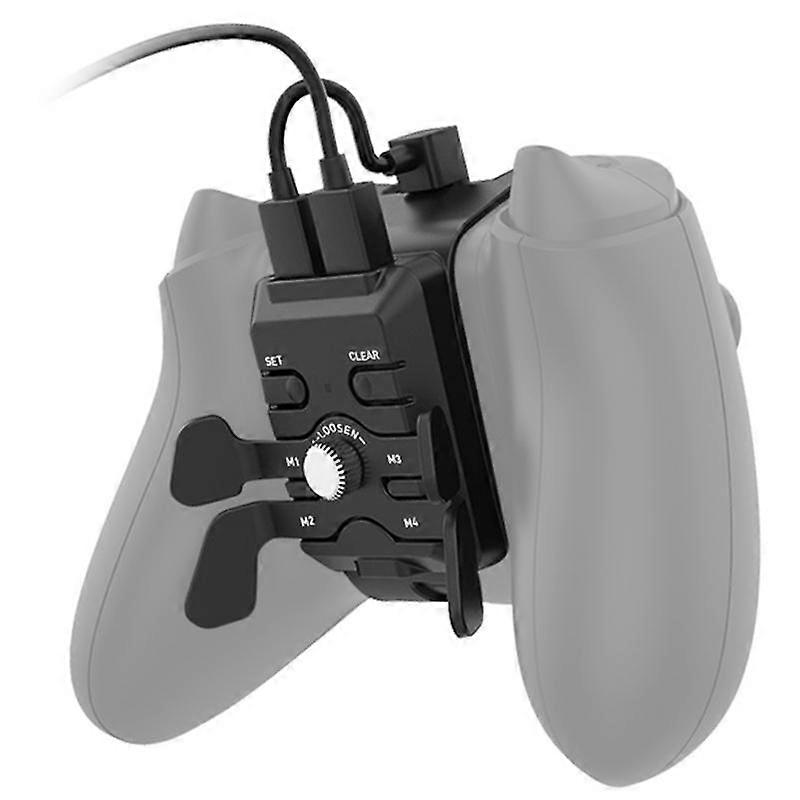
Xbox Series X/S handle with extended buttons on the back. Xbox X/S handle with extra function buttons

MYR199.00
+ MYR28.99 送货

Xbox Series X/S handle with extended buttons on the back. Xbox X/S handle with extra function buttons

  • 品牌: Unbranded

Xbox Series X/S handle with extended buttons on the back. Xbox X/S handle with extra function buttons

  • 品牌: Unbranded
建议零售价: MYR399.00
价格: MYR199.00
您节省了: MYR200.00 (50%)
由……售出:
MYR199.00
+ MYR28.99 送货

有货

14天退货政策

付款方式:

描述

Xbox Series X/S handle with extended buttons on the back. Xbox X/S handle with extra function buttons

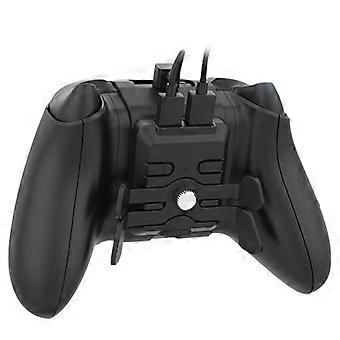
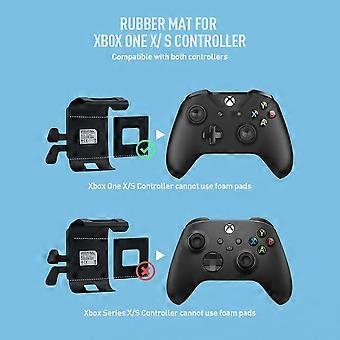
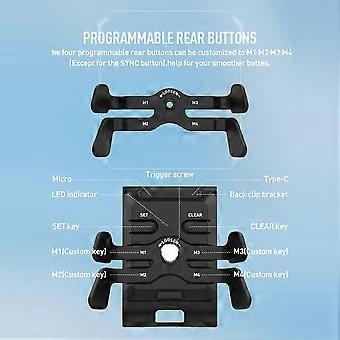
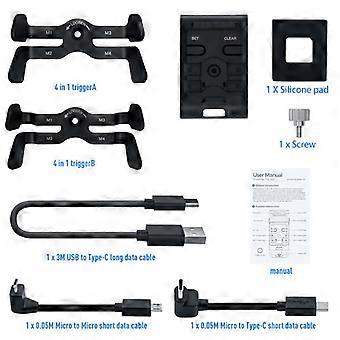
Features: 1. Includes two trigger types; choose your preference. Install the trigger onto the rear clamp, align the trigger screw with the screw hole, and rotate clockwise to lock. 2. The rear clamp is compatible with Xbox One, Xbox One S/X, and Xbox Series S/X controllers. Attach the rear clamp with the installed trigger to the back of the controller. For Xbox One S/X controllers, use the included silicone pad for enhanced durability. 3. Insert the Micro end of the provided short data cable into the Micro port on the rear clamp and connect the other end to the controller's charging port. Two short data cables are included: Micro-to-Micro and Micro-to-Type-C, for compatibility with Xbox One, Xbox One S/X (Micro-to-Micro), and Xbox Series S/X (Micro-to-Type-C) controllers. 4. Insert the matching USB-to-Type-C long data cable's Type-C male end into the rear clamp's Type-C port and the USB male end into the host for connection. Connect to use. 5. Rear Clamp Button Setup Instructions: Custom Key Functions: The product has 4 customizable buttons, with default values set to up/down/left/right directional pad functions. Press and hold the SET button for 3 seconds; the LED indicator will blink, indicating setup mode. Press and hold the desired controller button, then press the corresponding custom button on the rear clamp. Repeat for other buttons (excluding the control stick). Once finished, press the SET button again; the LED will turn off, and the custom key functions are active. Cancel Custom Key Function: Press and hold the SET button for 3 seconds. Press one or more custom buttons, then press the SET button. The LED will turn off, and the selected custom key functions are cancelled. Clear Settings: Press and hold the CLEAR button for 5 seconds; the LED will light once. All custom key settings will be cleared, and buttons will revert to their default directional pad functions. 6. Headphone Use: Insert headphones into the audio port on the rear clamp for normal headphone use.
  • Fruugo ID: 400501779-852196660
  • EAN: 6902480708404

产品安全信息

请参阅下面列出的特定于该产品的产品安全信息

以下信息由销售该产品的独立第三方零售商提供。

产品安全标签

CE Mark
安全警告: Not suitable for children under 36 months
原料: Plastic 5%

配送 & 退货

在 24 小时内发货

  • STANDARD: MYR28.99 - 之间的交付 周四 01 一月 2026–周五 09 一月 2026

从 中国 送货。

我们会争取将您订购的产品按照您的规格完整地配送给您。不过,万一您收到不完整的订单,或收到的产品与您订购的不同,或者有其他原因让您对订单不满意,您可以要求全部或部分退货,您将收到相应产品的全额退款。 查看完整的退货政策

产品合规详细信息

请参阅下面概述的针对该产品的合规性信息。

以下信息由销售该产品的独立第三方零售商提供。

制造商:
以下信息概述了在Fruugo销售的相关产品的制造商联系信息。

  • DIMEANI07
  • Wenzhou Xianrui E-commerce Co., Ltd.
  • 1020, 10th Floor, Wenzhou Premium Agricultural Products Exhibition and Sales Center Building,
  • Zhejiang Southern Agricultural and Sideline Products Center Market (Area 4)
  • Wenzhou
  • CN
  • 325029
  • smarthomebrand@outlook.com
  • 8619146916074

欧盟负责人:
以下信息概述了欧盟负责人的联系信息。该负责人是位于欧盟的指定经济运营者,负责有关销售到欧盟的相关产品的合规义务。

  • E-CrossStu GmbH
  • E-CrossStu GmbH
  • Mainzer Landstr.69
  • 60329 Frankfurt am Main
  • Hessen
  • DE
  • 60329
  • E-CrossStu@web.de
  • 69332967674